
Best Practices & News
- Consumers are tired of AI in advertising: New research shows growing consumer fatigue, with 78% saying AI makes ads feel less authentic and 63% reporting they’re less likely to purchase from brands using AI-generated ads. Brands should prioritize human-centered content and use AI thoughtfully.
- Tips for more engaging videos on LinkedIn: LinkedIn dropped new tips for creating more engaging videos, including getting to the point quickly, adding captions for viewers watching without sound and using visual variety to keep viewers watching.
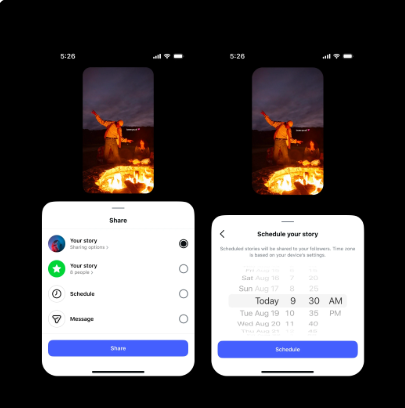
- Instagram allows changing audio after posting: Users can now update the audio on an existing post or carousel without losing likes, comments or shares.
- Social media is becoming less social: A new report by Incogni found that 55% of users are posting less than they did five years ago as pressure to maintain an online presence grows and platforms shift toward entertainment and private sharing.
- LinkedIn now allows users to report AI slop: LinkedIn is introducing new tools that allow users to flag posts and comments that feel inauthentic or overly reliant on AI, helping improve content quality across feeds.
Three New Content Ideas to Try
- Make the carousel hook count: A strong first slide can be just as important as the content that follows. Start with a bold image, question or statement that gives users a reason to swipe, then mix photos, text and design elements to build the story one slide at a time. We love the Nude Project’s attention-grabbing carousels for inspiration.
- It’s kind of chic: Use the trending “kinda chic to ___” hook to highlight habits, experiences or moments your audience can relate to. Call out a few “chic” things in your niche through a carousel, or focus on one specific idea in a Reel.
- Tell me more about yourself: Use this trending hook to introduce your college or brand through a series of photos popping up on the screen. Highlight campus colors, favorite foods, iconic locations, traditions and everyday moments that capture your community’s personality and aesthetic.
Two Accounts to Watch
We all need inspiration. Here are a few accounts that may spark new ideas. 💡
- Pure Michigan: From playful takes on pop culture moments like The Odyssey in Michigan to shareable carousels featuring shark-free lakes and must-visit destinations, Pure Michigan keeps its content clever, informative and saveable for Michiganders and tourists alike.
- McCrosky Creative: Grayson McCrosky pairs powerful university and sports imagery with carousel hooks like “Not a phone in sight” and “The best college town in America” to grab attention, make audiences feel seen and inspire shares. His account is worth the scroll for seasonal, brand-aligned content inspiration.
What We're Reading
Instagram Stories are filling your feed, but how do you use them effectively? There’s an art to the Instagram Story and a strategy to back it up! We love this complete guide from Instagram, which breaks down how to use templates, stickers, Highlights and other creative tools to make Stories more engaging.
Resource We Love
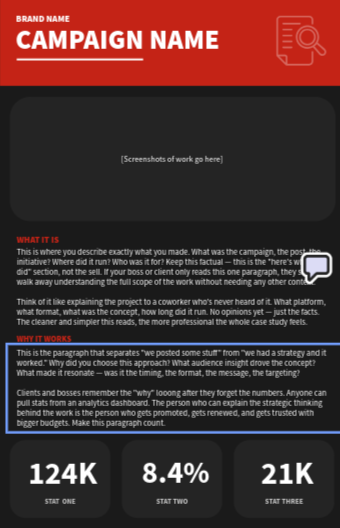
We all deserve to celebrate our social media wins! We love this free Adobe template, which makes it easy to showcase your results and share your success. Download the template here.
Food for Thought
Have brands officially lost the plot in the comments? As more organizations jump into unrelated conversations for a little extra attention, comment sections can start to feel less like a community and more like a sales pitch.
Rachel Karten’s Link in Bio article makes the case for swapping brand banter for “brand hero” moments that genuinely help and delight your audience. After all, one meaningful interaction may be worth more than 50 clever comments.
Campus Shout-Out
Mooooove-in season is almost here! 📦 We loved this carousel from MSU Live On, which splits one continuous animation across four slides to grab students’ attention, encourage them to keep swiping and spend more time with an important move-in reminder.

Contacts
Social Media Help: doepke@msu.edu
Sprinklr Help: comms.websupport@msu.edu
Social Media Content Suggestions: comms.social@msu.edu